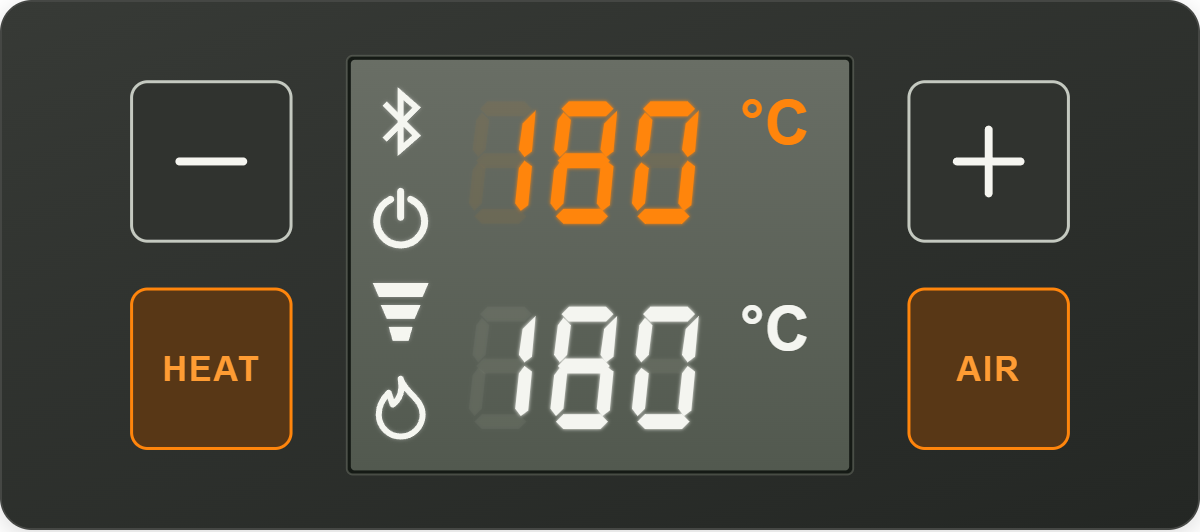
A custom Home Assistant integration to connect and control the Storz & Bickel Volcano Hybrid Vaporizer via Bluetooth. This integration enables precise control over the vaporizer’s heat and pump functions, real-time monitoring of temperature, and seamless automation into the Home Assistant scripting and automation systems.
One of the main features of the official Volcano app includes workflows; these are the real-time Bluetooth instructions usually sent from your mobile device to the vaporizer when using it. But, because these instructions are sent in real-time, it means that closing or sometimes even minimizing the app actually stops the workflow prematurely. This integration fixes that by using Home Assistant as the Bluetooth client instead of your mobile device; the connection is persistent and asynchronous. This allows us to utilize Home Assistant scripts and automations in the same way we would create a workflow.
The default workflow in the official app is as follows:
- Turn heat on.
- Set temperature to 170C.
- Wait until temperature reaches target.
- Turn on pump for 5 seconds.
- Set heat to 175C.
- Wait until temperature reaches target.
- Turn on pump for 5 seconds. Set heat to 180C.
- Wait until temperature reaches target. Turn on pump for 5 seconds.
- Repeats until temperature reaches 200C.
To translate this into a Home Assistant script:
alias: Volcano Workflow 1
sequence:
  - action: volcano_integration.connect
    data:
      wait_until_connected: true
  - action: volcano_integration.heat_on
    data: {}
  - action: volcano_integration.set_temperature
    data:
      temperature: 170
      wait_until_reached: true
  - action: volcano_integration.pump_on
    data: {}
  - delay:
      seconds: 5
  - action: volcano_integration.pump_off
    data: {}
  - action: volcano_integration.set_temperature
    data:
      temperature: 175
      wait_until_reached: true
  - action: volcano_integration.pump_on
    data: {}
  - delay:
      seconds: 5
  - action: volcano_integration.pump_off
    data: {}
  - action: volcano_integration.set_temperature
    data:
      temperature: 180
      wait_until_reached: true
  - action: volcano_integration.pump_on
    data: {}
  - delay:
      seconds: 5
  - action: volcano_integration.pump_off
    data: {}
  - action: volcano_integration.set_temperature
    data:
      temperature: 185
      wait_until_reached: true
  - action: volcano_integration.pump_on
    data: {}
  - delay:
      seconds: 5
  - action: volcano_integration.pump_off
    data: {}
  - action: volcano_integration.set_temperature
    data:
      temperature: 190
      wait_until_reached: true
  - action: volcano_integration.pump_on
    data: {}
  - delay:
      hours: 0
      minutes: 0
      seconds: 5
      milliseconds: 0
  - action: volcano_integration.pump_off
    data: {}
  - action: volcano_integration.set_temperature
    data:
      temperature: 195
      wait_until_reached: true
  - action: volcano_integration.pump_on
    data: {}
  - delay:
      seconds: 5
  - action: volcano_integration.pump_off
    data: {}
  - action: volcano_integration.set_temperature
    data:
      temperature: 200
      wait_until_reached: true
  - action: volcano_integration.pump_on
    data: {}
  - delay:
      seconds: 5
  - action: volcano_integration.pump_off
    data: {}
  - action: volcano_integration.heat_off
    data: {}
description: "A full workflow from 170C to 200C, with 5 second pumps between every 5C."
mode: restart
I also strongly recommend creating another script, which allows you to stop any Volcano workflow at will. It should also turn the heat and pump off:
alias: Volcano Stop All Scripts
sequence:
  - action: volcano_integration.heat_off
  - action: volcano_integration.pump_off
  - action: script.turn_off
    target:
      entity_id:
        - script.volcano_workflow_1
description: "Stops all Volcano scripts and turns off the heat/pump."
mode: restart
Now you’re set to create your own scripts and automations for the Volcano Vaporizer.
⚠️ WARNING: For safety reasons, do not leave your Volcano Vaporizer running while unattended. This is an experimental integration, subject to changes in functionality at any time, and should not be considered reliable. The Volcano poses a fire hazard and must be used with caution.
Features
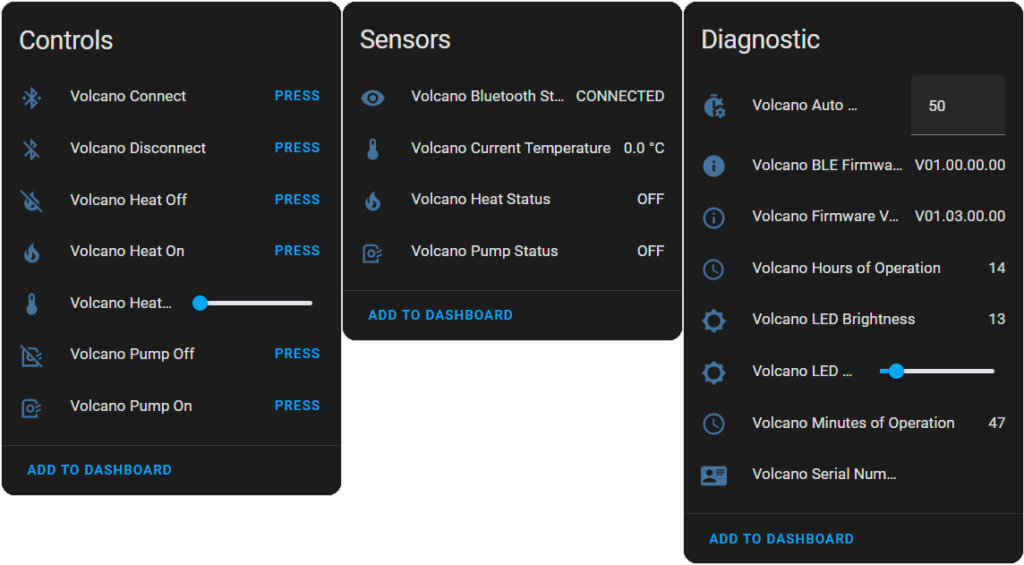
- Temperature Control: Set the heater temperature between 40°C and 230°C with 1°C precision.
- Pump Control: Turn the pump ON or OFF to start or stop air circulation.
- Heat Control: Turn the heater ON or OFF.
- LED Brightness Control: Adjust the LED brightness between 0% and 100%.
- Auto Shutoff Setting: Configure how long until the Volcano automatically turns off, in minutes.
- Real-Time Temperature Monitoring: Monitor the current heater temperature in real time.
- Bluetooth Status: View the current Bluetooth connection status (Connected, Disconnected, etc.).
- Firmware and Serial Information: Access BLE firmware version, device firmware version, and serial number.
- Operational Hours Monitoring: Track hours and minutes of operation.
- Connection Control: Manage Bluetooth connection via a dedicated service.
- Full Automation Support: Automate heat, pump, LED brightness, auto shutoff setting, and connection logic using Home Assistant scripts or automations.
- User-Friendly Services: Use built-in Home Assistant services to control various aspects of the vaporizer (temperature, brightness, auto shutoff setting, etc.).
Requirements
- Bluetooth Hardware: The host system must have Bluetooth hardware or a compatible USB Bluetooth adapter.
- Python Dependency: Requires the
bleaklibrary (>= 0.20.0).
Installation
Installation via HACS
- Prerequisites
- Ensure you have HACS installed in your Home Assistant setup.
- Add the Repository to HACS
- In Home Assistant, navigate to HACS > Integrations.
- Click the “+” button to add a new repository.
- Enter the repository URL:
https://github.com/Chuffnugget/volcano_integration. - Select Integration as the category.
- Install the Integration
- After adding, find Volcano Integration in the HACS Integrations list.
- Click Install.
- Restart Home Assistant
- After installation, restart Home Assistant to activate the integration.
- Configure the Integration
- Navigate to Settings > Devices & Services, find Volcano Integration, and follow the setup instructions.
- The configuration menu will scan for Bluetooth devices, displaying a list. Select your Volcano Vaporizer to complete the setup.
Manual Installation
- Download the Integration
- Clone or download the repository from GitHub: GitHub Repository.
- Place in Custom Components
- Extract the files and place the
volcano_integrationfolder in thecustom_componentsdirectory within your Home Assistant configuration directory.
- Extract the files and place the
- Install Dependencies
- Ensure the required dependencies (e.g.,
bleak>=0.20.0) are installed. Home Assistant should handle this automatically.
- Ensure the required dependencies (e.g.,
- Restart Home Assistant
- After placing the files, restart Home Assistant.
- Add the Integration
- Navigate to Settings > Devices & Services > Add Integration, search for “Volcano Integration,” and follow the setup instructions.
Usage
Entities
- Sensors
- Current Temperature: Displays the current temperature of the vaporizer.
- Heat Status: Shows whether the heater is ON, OFF, or in an unknown state.
- Pump Status: Indicates if the pump is ON, OFF, or in an unknown state.
- Bluetooth Status: Displays the current Bluetooth connection status.
- BLE Firmware Version: Shows the BLE firmware version of the device.
- Serial Number: Displays the device’s serial number.
- Firmware Version: Shows the device’s firmware version.
- LED Brightness: Displays the current LED brightness level.
- Hours of Operation: Tracks the total hours the device has been in operation.
- Minutes of Operation: Tracks the total minutes the device has been in operation.
- Numbers
- Heater Temperature Setpoint: Allows setting the desired temperature between 40°C and 230°C.
- LED Brightness: Adjusts the LED brightness between 0% and 100%.
- Auto Shutoff Setting: Sets the auto shutoff duration in minutes (e.g., 30–360).
Services
volcano_integration.connect
Connect to the vaporizer.- Parameters
wait_until_connected(optional, default: true): Whether to block until the device is fully connected.
- Parameters
volcano_integration.disconnect
Disconnect from the vaporizer.volcano_integration.set_temperature
Set the heater temperature.- Parameters
temperature(required): The target temperature in °C (40–230).wait_until_reached(required, default: true): Whether to block until the target temperature is reached.
- Parameters
volcano_integration.set_led_brightness
Set the LED brightness.- Parameters
brightness(required): The LED brightness percentage (0–100).
- Parameters
volcano_integration.set_auto_shutoff_setting
Set the auto shutoff time in minutes.- Parameters
minutes(required): The duration in minutes before auto shutoff is triggered (e.g., 30–360).
- Parameters
Troubleshooting
- Bluetooth Adapter
Ensure your system recognizes and can use the Bluetooth adapter. If the adapter isn’t detected, the integration won’t be able to connect. - Proximity
Keep the Volcano within a reasonable range of the Bluetooth adapter to prevent connectivity issues. - Logs
Check Home Assistant’s logs for debug messages. Increasing the log level forcustom_components.volcano_integrationcan help diagnose connection problems.
Contributing
All contributions, including bug reports, new features, and documentation improvements are welcome. Please file issues on GitHub and/or submit PRs with your proposed changes.
Enjoy creating your own custom workflows and happy vaping!